Real-Time Systems
Video Consultation Platform for Public Services
Built a video consultation platform where citizens meet public-service operators remotely. The core challenge: bridging Azure Communication Services SDK (callback/promise-based) with Angular's reactive RxJS model, while managing real-time state through SignalR for permissions, call state, and document synchronization.
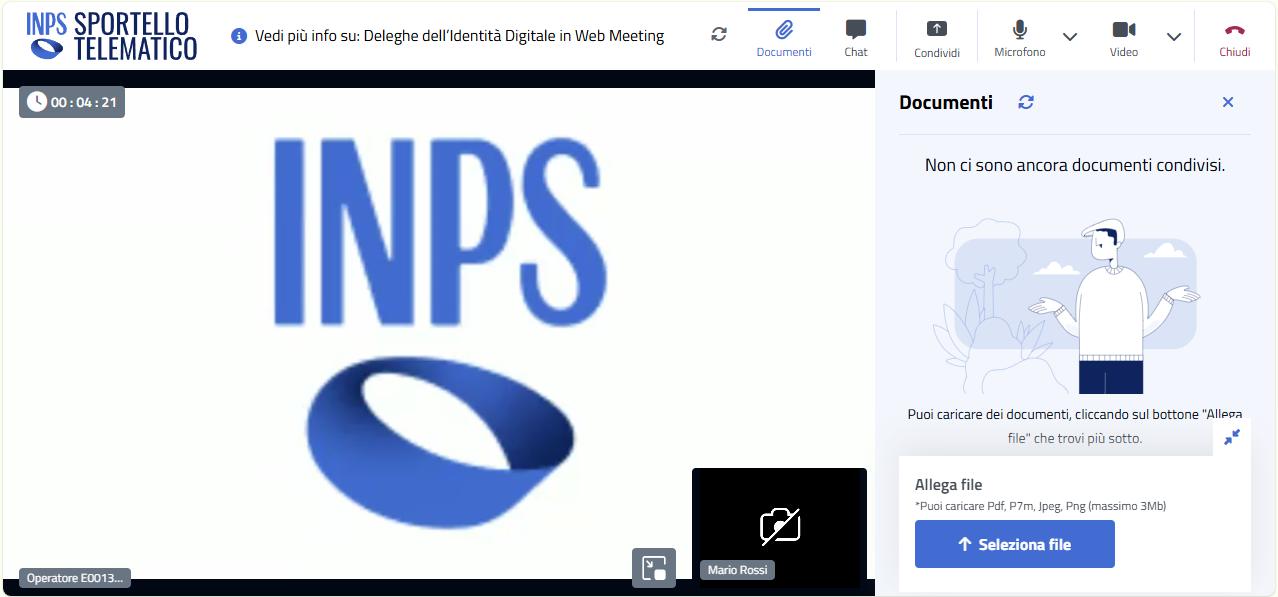
Public services needed a way for citizens to have video consultations with operators instead of visiting offices in person. I built the frontend that handles real-time video, document sharing, and device management. The hard part wasn't just making video calls work - it was bridging two completely different programming paradigms: Azure SDK's callback-based model and Angular's reactive RxJS model.
01 / What I built
Video consultation platform with reactive architecture
Citizens use this platform to have video consultations with public-service operators. They can share documents, show their screens, and complete appointments remotely. I built the entire frontend that handles the video calls, document sharing, and device management.
The real challenge: Azure Communication Services SDK uses callbacks and promises for everything - call state changes, device events, participant updates. But Angular is reactive - everything flows through RxJS Observables. I had to bridge these two paradigms. Every SDK callback was wrapped in an Observable, every promise was converted to an Observable chain. This wasn't just a technical exercise - it meant the entire UI could react to state changes in real-time without polling or manual refresh.
02 / Azure SDK integration
Porting callback-based SDK to reactive RxJS
Azure Communication Services SDK exposes events through callbacks: onStateChanged, onParticipantsUpdated, onMuted, etc. Each callback fires when something happens. But in Angular, we don't want callbacks scattered across components - we want a single reactive stream that components can subscribe to.
I created a CallService that wraps the Azure SDK. Every callback became an Observable. For example: the onStateChanged callback became a state$ Observable that emits whenever the call state changes. Components subscribe to state$ and react accordingly - show a "connecting" spinner, display participant list, show mute button state, etc.
The tricky part: promises. The SDK uses promises for async operations like starting a call, adding participants, or muting/unmuting. I converted each promise to an Observable using from(). This meant I could chain operations, handle errors reactively, and cancel in-flight operations when the component is destroyed.
Example: when a user clicks "Start Call", the service calls azureCallAgent.startCall() which returns a promise. I wrap it: from(this.azureCallAgent.startCall()).pipe(catchError(...), tap(...)).subscribe(). Now the entire call lifecycle is reactive - components react to state changes, errors are handled uniformly, and cleanup happens automatically.
03 / SignalR state management
Real-time state synchronization
Video calls are just one piece. The platform also manages permissions (who can speak, who can share screen), call state (who's in the call, who's on hold), and document sharing (who uploaded what, when). All of this needs to be synchronized in real-time across multiple clients.
SignalR handles this. The backend pushes state updates through SignalR hubs, and the frontend receives them as Observables. When an operator grants screen-sharing permission to a citizen, SignalR pushes that update to all participants. The frontend receives it, updates the reactive state, and the UI automatically reflects the new permission.
Three SignalR hubs: permissions (who can do what), callState (who's in the call, what's their status), and documents (what documents are shared, who uploaded them). Each hub is wrapped in a service that exposes Observables. Components subscribe to these Observables and react to changes.
The integration: SignalR updates flow through the same reactive pipeline as Azure SDK events. When a participant joins (Azure SDK event) and their permission is granted (SignalR event), both updates flow through the same reactive stream. The UI reacts to the combined state - show the participant in the list AND show their permissions.
04 / Device management
Browser API and SDK coordination
Device management is complex. The browser has its own MediaDevices API for enumerating cameras, microphones, and speakers. But the Azure SDK has its own device management layer. These two systems don't talk to each other - I had to coordinate them manually.
The flow: first, I use navigator.mediaDevices.enumerateDevices() to get the list of available devices. This returns device IDs, labels, and kinds (audioinput, videoinput, audiooutput). I display this list to the user so they can choose which camera and microphone to use.
Once the user selects a device, I pass that device ID to the Azure SDK. The SDK then uses that device for the call. But here's the catch: the SDK can only use a device if the browser has granted permission. So I have to request permission first using navigator.mediaDevices.getUserMedia({ audio: true, video: true }).
The permission flow: if the user hasn't granted permission, the browser shows a permission prompt. If they grant it, I can enumerate devices and show the list. If they deny it, I show an error message explaining they need to grant permission to use video calls.
Device changes: if the user plugs in a new camera while the app is running, the browser fires a devicechange event. I listen for this event and re-enumerate devices. If the user was using a device that got unplugged, the SDK fires an error. I catch this error, re-enumerate devices, and prompt the user to select a new device.
The SDK loading: Azure Communication Services SDK is a large library. I load it asynchronously using dynamic import(). The CallService doesn't initialize until the SDK is loaded. Components that depend on the CallService wait for the SDK to load before trying to use it. This keeps the initial bundle size small and only loads the SDK when the user actually starts a call.
05 / Chat SDK integration
Real-time messaging with Chat SDK
Video calls are great, but sometimes citizens need to send messages, share documents, or ask questions without interrupting the conversation. That's where the Azure Communication Services Chat SDK comes in. I integrated it alongside the Calling SDK to provide real-time messaging during consultations.
The Chat SDK has its own set of callbacks: onMessageReceived, onTypingIndicatorReceived, onReadReceiptReceived, etc. Just like with the Calling SDK, I wrapped every callback in an Observable. The ChatService exposes messages$, typingIndicators$, and readReceipts$ Observables that components subscribe to.
The integration with SignalR: Chat SDK handles the messaging layer, but SignalR manages the chat state - who's in the chat, what documents are shared, chat permissions. When an operator shares a document in the chat, SignalR pushes that update to all participants. The ChatService receives it, updates the reactive state, and the UI shows the new document attachment.
Typing indicators and read receipts: these are crucial for a good user experience. When a user starts typing, the Chat SDK fires onTypingIndicatorReceived. I debounce this to avoid flooding the UI with updates. When a message is read, onReadReceiptReceived fires. I update the reactive state, and the UI shows a checkmark next to the message.
File attachments: citizens can upload documents during the consultation. The Chat SDK handles the file upload, but I had to coordinate with SignalR to notify all participants that a new document is available. When the upload completes, SignalR pushes an update, and the UI shows the document in the chat with a download link.
The tricky part: message history. The Chat SDK provides a way to load previous messages, but I had to handle pagination and infinite scroll. I created a MessageHistoryService that loads messages in batches and exposes them as an Observable. Components subscribe to messages$ and render the chat history.
06 / Debugging real-time issues
Added telemetry that cut diagnosis time by 75%
The biggest win was adding Application Insights telemetry. Before this, when a user reported "my call dropped," we had no way to know what actually happened. Did the network fail? Did the backend crash? Did the user accidentally close the tab? We'd spend hours trying to reproduce the issue, often failing because the conditions were too specific.
I added telemetry that tracks every state change: when the connection drops, when devices change, when documents are uploaded, when errors occur. Now when a user reports an issue, we can look at the telemetry and see exactly what happened. We can see "user's microphone disconnected at 10:23:45, reconnected at 10:23:47, but screen sharing permission was revoked at 10:23:50." We know exactly what went wrong and can fix it.
The impact: reduced bug diagnosis and resolution time by 75%. Issues that used to take days to debug now take hours because we have complete visibility into what happened.
Evidence & further reading