AI Engineering
AI Agents for Retail and E-commerce
Built the frontend for an AI agent platform for retail. Explaining why this is actual AI engineering: the AI doesn't just chat, it searches real inventory (RAG), generates rich UI instead of text (Generative UI), and proposes business actions that require human confirmation (Action Boundaries).
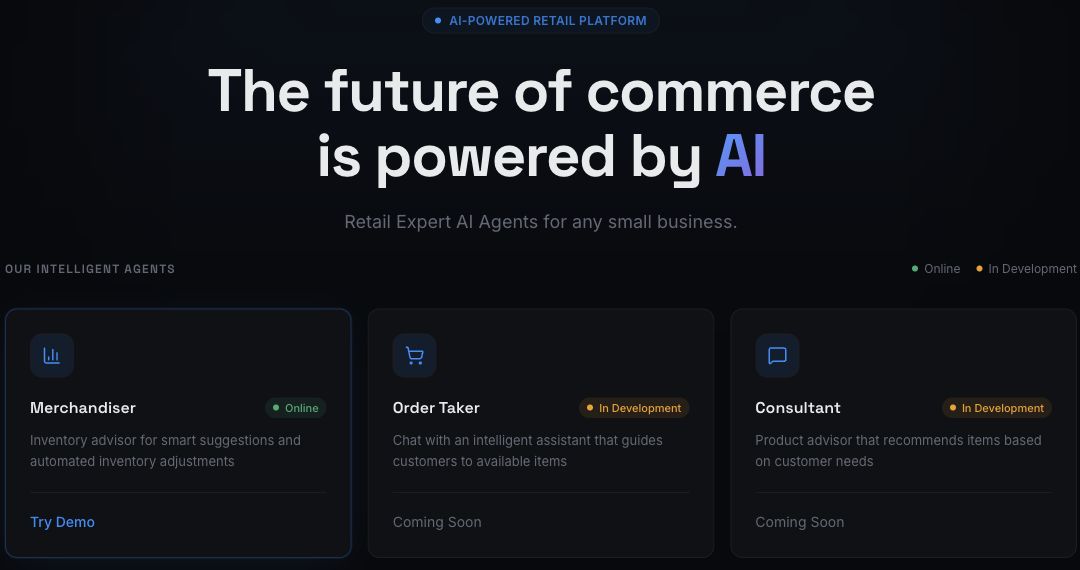
Most "AI assistants" are just chatbots that spit out text. I built the frontend for an AI agent that actually interacts with your business systems. It searches your real inventory, generates interactive UI components instead of plain text, and proposes business actions (like updating stock) that require human confirmation before executing.
01 / Why this is AI
RAG, Generative UI, and Action Boundaries
People hear "AI" and think of ChatGPT. But dropping a raw LLM into a business context is a disaster waiting to happen. LLMs hallucinate. If you ask a raw LLM about your store's inventory, it will confidently make up products that don't exist. To fix this, we used Retrieval-Augmented Generation (RAG). Before the AI answers a user's question, it searches the company's actual product database. It only talks about products you actually have in stock.
Second, chatbots usually just return text. But text is boring and hard to read. I built a "Generative UI" system. Instead of returning markdown, the AI returns strictly typed JSON. My frontend takes that JSON and turns it into rich, interactive components: product comparison tables, inventory charts, add-to-cart cards. The AI decides *what* data to show, and my code decides *how* to render it safely.
Third, and most importantly: Action Boundaries. The biggest risk with AI agents is them doing something stupid, like refunding a customer when they weren't supposed to. I drew a hard line between what the AI can *propose* and what the system will *execute*. The AI can say "I suggest updating the price to $50", but it requires the human to click "Confirm" before the backend actually touches the database.
02 / My architecture
The Renderer Registry and Action State Machine
My main architectural contribution was the "Renderer Registry" and the Action State Machine. Because the AI returns structured JSON, I needed a way to map that JSON to actual Angular components. I built a registry that maps 10 different content types (charts, tables, product cards, forms, etc.) to specific Angular components. If the AI returns `{ "type": "product_table", "items": [...] }`, the registry knows to render the `ProductTableComponent`.
For the business actions, I built a strict state machine. When the AI proposes an action (like "Update Inventory"), the state moves to `Proposed`. The UI shows the user exactly what the AI wants to do. If the user clicks "Confirm", it moves to `Executing`. If the backend succeeds, it moves to `Succeeded`. If the AI hallucinates an unsupported action, the UI catches it and safely rejects it instead of crashing.
I defined 5 categories of business actions and 20 specific scenarios across inventory, sales, pricing, and decision support. Every single one of those 20 scenarios has a strict JSON schema and a defined UI flow.
03 / The distribution problem
Packaging it as a Web Component
We needed to drop this AI assistant into 15 different POS integrations and third-party Shopify stores. These sites don't use Angular. They don't share our CSS. If I just gave them an Angular app, it would break their site's styling, and their global CSS would break our UI.
I solved this by packaging the entire assistant as a Web Component using Angular Elements and Shadow DOM. Shadow DOM creates a CSS firewall—our styles can't leak out, and their styles can't break our UI. Integration effort dropped by 90%. Instead of a complex Angular integration, third-party sites just add a `<script>` tag and a custom HTML element like `<ai-assistant api-key="..."></ai-assistant>`. It just works, completely isolated from the host site.
Evidence & further reading